Building editions
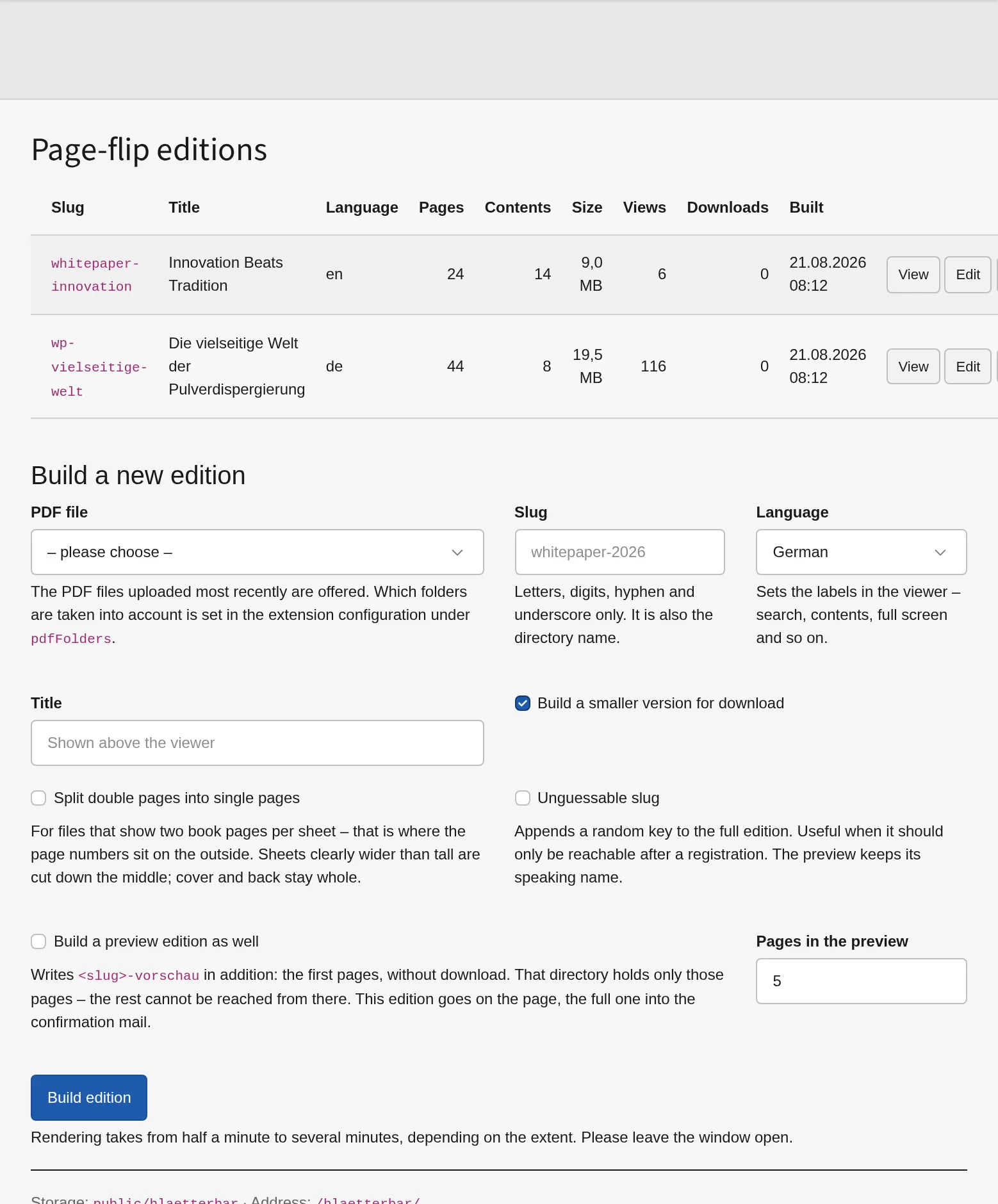
In the backend
File → Page-flip editions. Choose a PDF, give it a slug, choose a language, press Build edition. Rendering takes from half a minute to several minutes, and a progress bar shows what is happening — the window has to stay open.
The list then holds the edition with page count, table of contents, size, build date and the actions:
| Action | What it does |
|---|---|
| View | opens the edition in a new tab |
| Edit | title, language, colours, preview extent, download, controls |
| Contents | the table of contents, one line per chapter |
| Refresh | brings the edition up to a newer viewer without rendering again |
| Rebuild | builds from the same source file, keeping all settings |
| Delete | removes the directory |
An edition whose source file has changed since the build is marked outdated.
Which folders offer their PDF files is limited by pdfFolders in the extension
configuration. Without it, everything in the file storage is offered — in a
grown installation that includes the job applications from the user upload.
On the command line
vendor/bin/typo3 flippdf:build <path/to.pdf> <slug> \
    --titel "Title above the viewer" \
    --sprache de
| Option | Meaning |
|---|---|
--titel |
title above the viewer and in the browser window |
--sprache |
de, en, fr or zh — the labels in the viewer |
--download |
link the download to an existing address instead of writing a file |
--ohne-download |
offer no download at all |
--farbe-leiste, --farbe-akzent |
colours of the bars and of the accents |
--vorschau |
how many pages the content element may show at most |
--blaetterdauer, --ohne-schatten |
flipping speed and shadows |
--ohne-zoom, --ohne-verweise |
leave out zoom, do not read links from the PDF |
--schwester |
link a language edition, en:slug, several separated by commas |
The add-on package adds --vorschau-ausgabe, --vorschau-kennung,
--zufallskennung and --doppelseiten to the same command.
Refreshing the viewer
After an update of the extension, existing editions keep running with the viewer they were built with — it lies inside them. One command brings them up to date without rendering a single page again:
vendor/bin/typo3 flippdf:refresh          # all editions
vendor/bin/typo3 flippdf:refresh <slug>   # only this one
Rarely something to remember. Every edition carries the version of its viewer. Where it differs from the installed one — or where the viewer files have changed without the number being raised — the backend module marks the edition as viewer old and offers Refresh all viewers at the top.
It also happens on its own when the extension is set up: extension:setup
takes the existing editions along, so a deployment running that command anyway
leaves nothing to do. A plain composer update does not suffice: it only
replaces the files below vendor.
Editing an edition
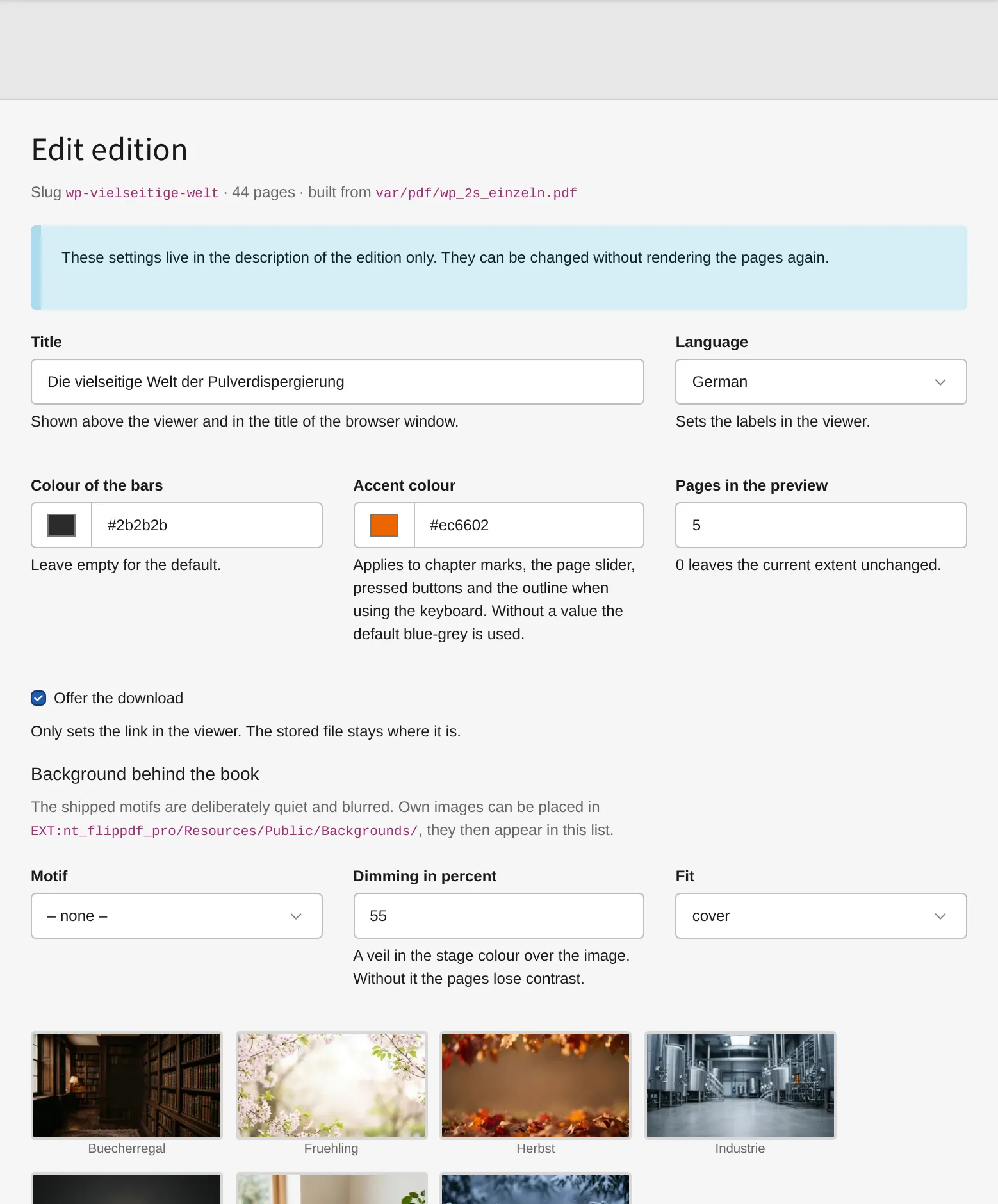
Title, language, colours, the extent of the preview, the download and every single control of the viewer — all of it without rendering the pages again. What is switched off here is removed from the viewer rather than hidden; otherwise it would still be reachable by keyboard.
While it is being rebuilt
An edition stays reachable during a rebuild. The new one is built in a directory beside the old one, and only the last step swaps them — a moment, not the several minutes a rebuild takes.