Branding
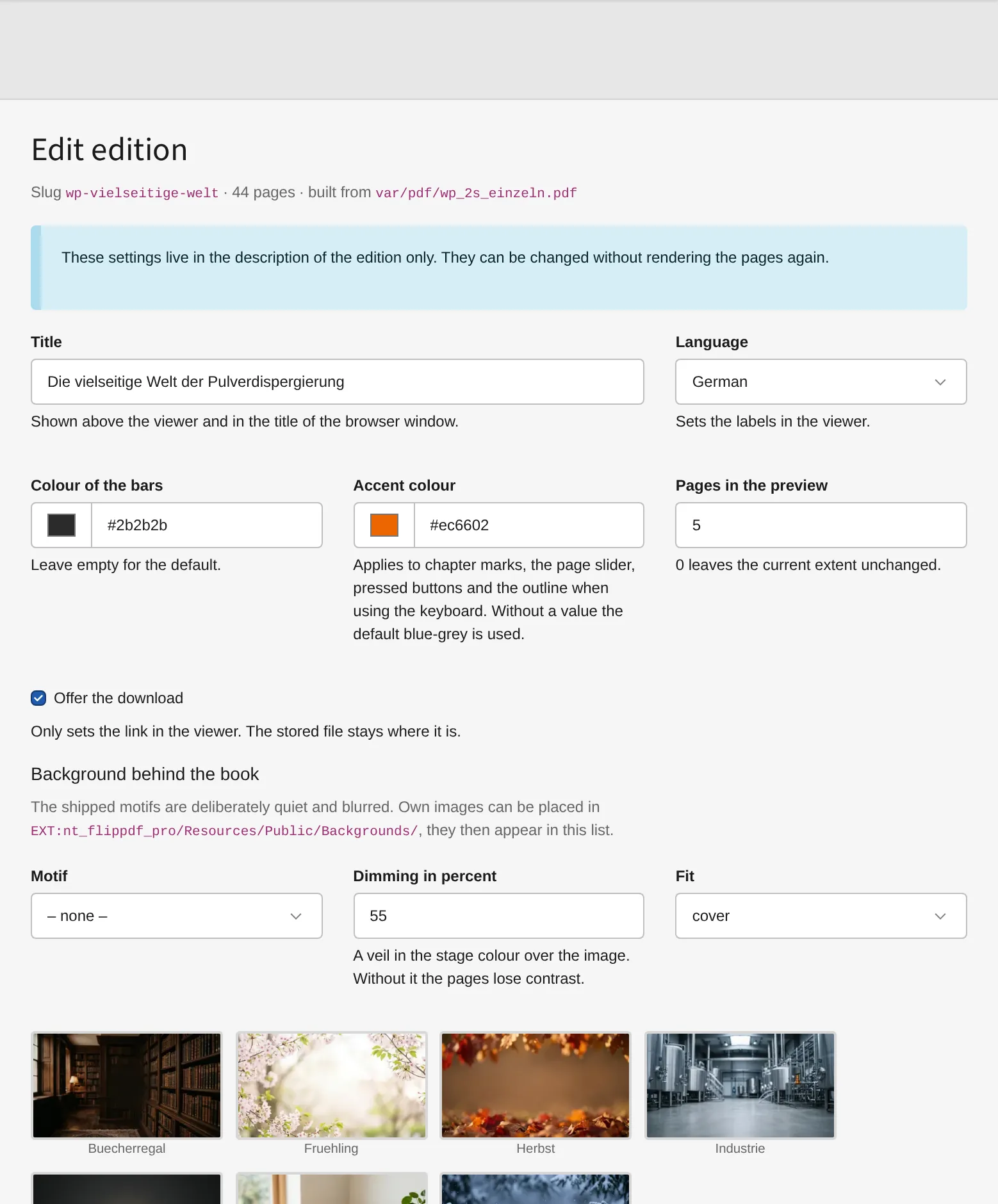
Everything here sits in the backend module under Edit — per edition, without rendering the pages again. Only the watermark is an exception: it is rendered into the page images and therefore needs a rebuild.
Background behind the book
Seven motifs come with the package — bookshelf, desk, spring, autumn, winter, industry and a neutral dark gradient. All of them deliberately quiet and blurred, with a free centre so the book stays in front. Between 10 and 61 KB each; one of them is copied into the edition.
- Dimming lays a veil in the stage colour over the image. Without it the pages lose contrast — 45 % is a good starting point.
- Fit — cover, contain or tile.
Own motifs: put an image into a folder named in backgroundFolders, and it
appears in the list. A <name>-vorschau.webp beside it is used as the thumbnail
in the backend.
Logo
An image from the file storage at one of nine anchor points above the stage,
with width, opacity and an optional link. It swallows no clicks unless it is a
link itself, and it gets smaller on narrow screens. Which folders offer images
is limited by logoFolders.
Watermark
Text, colour, opacity, size, angle and optional tiling across the whole page. A thin outline in the opposite colour is added automatically, so the mark stays legible on light and on dark pages alike.
It is rendered into the page images while building. That is the point: it also appears in the downloaded image and in the page overview — and in a screenshot someone takes.
Languages
French and Chinese labels for the viewer, on top of German and English from the
base package. cn is accepted as a spelling of zh.
Editions in different languages can be linked:
vendor/bin/typo3 flippdf:build whitepaper-en.pdf whitepaper-en \
    --sprache en --schwester "de:whitepaper-de,fr:whitepaper-fr"
The viewer then offers a switch between them. It only shows up where the counterpart really exists.